Automate Your Day the No-Code Way

Today we explore smart home routines built with no-code, connecting calendars, reminders, and IoT devices to coordinate lights, climate, locks, and notifications around real schedules. You will see how tools like Apple Shortcuts, Google Home, Alexa Routines, IFTTT, Make, and Home Assistant translate events and tasks into dependable actions, while Matter, Zigbee, and Wi‑Fi bring devices together. Expect practical blueprints, cautionary lessons, and friendly prompts that turn everyday plans into thoughtful, predictable moments.

Assembling a dependable no-code stack

Choosing your automation hub

Start by picking a hub that matches your comfort and ecosystem loyalty. Apple Shortcuts shines on iPhone and HomeKit, Google Home integrates Assistant and Nest, Alexa Routines remain approachable, while Home Assistant balances power with blueprints. If you prefer cloud flexibility, IFTTT or Make can bridge countless services. Prioritize reliability, transparency, and a clear editor that lets you see exactly when and why an action fires.

Triggers, conditions, and actions that mirror real life

Think in simple statements you can explain aloud. When the work calendar says first meeting begins, if it is a weekday and someone is home, then set lights to neutral white, start the kettle, and mute doorbell chimes. Conditions prevent noise; actions deliver delight. Start with one or two carefully chosen outcomes, then layer extras only after you trust timing, dependencies, and recovery when something goes offline.

Bridging devices across Matter, Zigbee, and Wi‑Fi

Interoperability is rapidly improving, especially with Matter enabling cross-brand control. Zigbee brings mesh resilience, Wi‑Fi offers bandwidth for cameras and plugs, and Thread reduces latency. Pair devices through a single controller whenever possible, and label rooms consistently to avoid confusion. Test basic commands first, like turning on a lamp or reading a sensor, before trusting devices to time-sensitive calendar and reminder automations that run without supervision.

Let your schedule move the house

Morning focus from the first calendar block
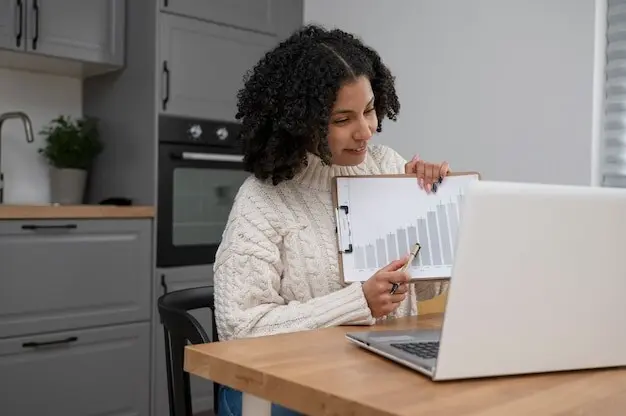
When the earliest scheduled commitment approaches, use a fifteen minute buffer to set warm lights, raise blinds a third, and cue a quiet playlist. If the day is packed, automatically brew coffee; if it is light, switch to tea. Sync notification volume with calendar color, lowering alerts for deep work blocks. A gentle rule like this turns busy mornings into predictable, welcoming starts without a single line of code.

Commute-aware preparation using travel time

Pull estimated travel time from Maps integrations where available, or use a simple fixed buffer if not. When departure time approaches, flash hallway lights softly, start the robot vacuum, and arm cameras after the door locks. If heavy traffic extends the commute, send a message that reschedules a nonessential errand. These tiny adjustments prevent rushed exits and forgotten chores, transforming routine departures into smooth, dependable handoffs between home and road.

Meeting mode that respects attention and presence

When a work event with video is underway, dim living room lights, set smart blinds to reduce glare, and pause noisy appliances. If a doorbell rings, capture a snapshot silently and send it to your watch, deferring chimes until the meeting ends. For in-person conversations, brighten entry lights and place a subtle reminder to return microphones to normal afterward. Your home becomes a considerate teammate that protects focus without being bossy.

Turn gentle reminders into decisive actions

Reminders often represent micro-commitments that deserve supportive nudges. By converting them into device actions, you avoid procrastination without pressure. Use shared lists for household chores, time-based prompts for personal habits, and location-based notes for errands. Keep feedback loops short with confirmations and soft fail-safes. When a reminder repeats, let the house evolve too, learning preferred lighting, temperature, or background sound to match the task and time of day effortlessly.

Medication moments that protect consistency

When the daily medication reminder fires, set bathroom lights to a calming color, warm the mirror heater, and play a gentle chime on the nearest speaker. If no motion is detected within ten minutes, send a discreet notification rather than broadcasting loudly. After confirmation from a button press or watch tap, restore lights and log the time. This respectful loop supports health without nagging, preserving dignity while building reliable, long-term habits.

Never miss trash night again

Tie the weekly pickup reminder to tangible cues. At sunset the evening before collection, turn the porch light to green and announce a short message on the kitchen speaker. If the bins are not opened by a set hour, send a nudge to phones with an easy snooze option. After successful motion near the curb, switch the porch back to warm white and record the task, building satisfying accountability over time.

Plant care that adapts to seasons and schedules

Link a biweekly reminder to soil moisture readings and daylight length. If moisture is already high after rain, postpone watering by two days and note the change on a shared list. Trigger a soft glow near planters at sunset to encourage action when you are actually home. Over months, your routine learns which plants drink faster, balancing attention without wasting water, while keeping every step transparent and easily adjustable.

Voice, notifications, and wearables in harmony

Hands-free control and timely prompts make automations feel humane. Use voice to override or confirm actions, while notifications provide context and undo buttons. Wearables add subtle taps and quick replies that avoid phone distractions. Design short, natural phrases for common overrides, like pause meeting mode or extend bedtime lights fifteen minutes. Keep announcements brief, respectful of guests, and localized to relevant rooms, so the home whispers help instead of shouting instructions.

Context-aware voice shortcuts that feel natural

Create phrases that map to intentions rather than device names. Saying begin focus quietly reduces alerts, shifts lighting, and arms a door sensor, but only during work hours. At night, the same phrase might start a reading scene. Use confirmations sparingly, and always include a manual fallback. Store these shortcuts where housemates can learn them, and revisit phrasing quarterly to match evolving routines and household vocabulary comfortably.

Actionable notifications with graceful exits

When an automation needs consent, send a notification with clear choices. For example, before turning on patio heaters during an evening event, ask to proceed, delay, or cancel. Each button records a reason so the system learns preferences. If no response arrives, choose the safest default and explain what happened. This pattern builds trust, keeps humans in charge, and prevents runaway actions when a calendar or reminder is outdated or ambiguous.

Wearable nudges that respect attention

Smartwatch taps and brief cards can replace blaring alerts. Trigger a single haptic nudge for delicate moments, like stepping into a call or confirming the door locked after leaving. Provide a two-tap undo that reopens the lock or restores lights when necessary. Because wearables are personal, limit shared household actions from them. Keep everything concise, private, and time-boxed, turning tiny interactions into a reassuring, almost invisible layer of control.

Local-first decisions and least-privilege access

Prefer hubs that evaluate triggers locally, keeping sensor data at home whenever possible. Grant calendars minimum access, using busy or free instead of full event texts. Separate personal and household accounts to simplify offboarding and audits. Review permissions quarterly, remove stale integrations, and secure administrators with hardware keys where supported. These habits reduce risk while preserving the convenience that makes automations worth keeping day after day.

Resilience through fallbacks and graceful degradation

Plan for the messy middle. If the internet drops, maintain core lighting and safety routines locally. When a device goes missing, swap to a generic action and alert quietly. Add timeouts so coffee does not brew endlessly and heaters never remain on overnight. Place a physical shortcut button in critical rooms to restore scenes manually. Resilience turns a clever setup into a dependable companion that you trust during ordinary and stressful moments alike.

Advanced patterns and shareable confidence

Once basics feel steady, blend context sources for delightful precision. Combine weather, air quality, occupancy, and energy prices with calendars and reminders to time chores, climate, and charging. Use household roles so one person’s focus time differs from another’s. Export templates, comment settings, and invite feedback. The goal is not cleverness, but a home that greets plans with quiet readiness, saving attention for people instead of toggles, dashboards, and constant choices.

Context mixing for timing that feels thoughtful

If rain is forecast and the calendar shows a free afternoon, delay lawn watering and suggest indoor tasks. When energy prices drop overnight, pre-cool bedrooms before sleep, then coast through peak rates. Tie reminders for laundry to humidity readings in the laundry room, reducing stale clothes. These blends make routines feel like intuition rather than code, aligning comfort, savings, and timing with almost effortless precision across busy weeks.

Household roles, shared calendars, and gentle negotiation

Create calendars for family, guests, and work, then map routines by role. A parent’s early call might dim nursery lights differently than a roommate’s workout block. Shared reminders can alternate chores automatically, announcing fair rotations. When conflicts arise, send a short prompt asking which routine should win today, and remember the answer. Over time, your home becomes a considerate mediator that balances everyone’s needs without endless manual reconfiguration.
Novirinoniloveltofaripento
Privacy Overview

This website uses cookies so that we can provide you with the best user experience possible. Cookie information is stored in your browser and performs functions such as recognising you when you return to our website and helping our team to understand which sections of the website you find most interesting and useful.